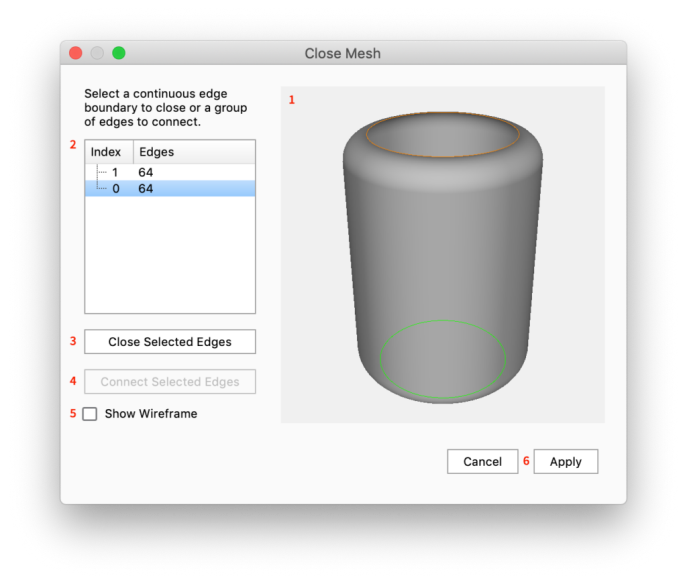
Close Mesh
If you have a polygon with a holes in it you can use Close Mesh to fill in missing polygons or close the gab between holes.
How to Close Mesh
- Launch the
 Close Mesh tool either via the Tools section in the Ribbon or via the context menu in the Real-time View or the Scene tree.
- The Close Mesh tool will list the open edges of the part you selected. In the preview any open edges will be displayed with a green line.
- Choose the open edge(s) you want to fix in the list, these will be highlighted with an orange outline in the preview.
- Now you can choose 2 methods for closing the holes
- Close Selected edges: this will create the polygons to fill in the hole
- Join Selected Edges: if the part has multiple holes, you can choose to create a solid connection between holes. Just select the 2 edges you want to join, and click Join Selected Edges.
Tool UI
|
|
|