Edit Normals
If your model appears to have a hole or flat areas, the Edit Normals tool can help you to unify the normals.
A normal is the direction that is perpendicular to a mesh surface. In a 3D model. The normals should all be facing the same direction, otherwise “holes” might appear. Also if your vertex normals are not aligned, flat spots might appear on what was intended to appear as a curved surface.
How to Edit Normals
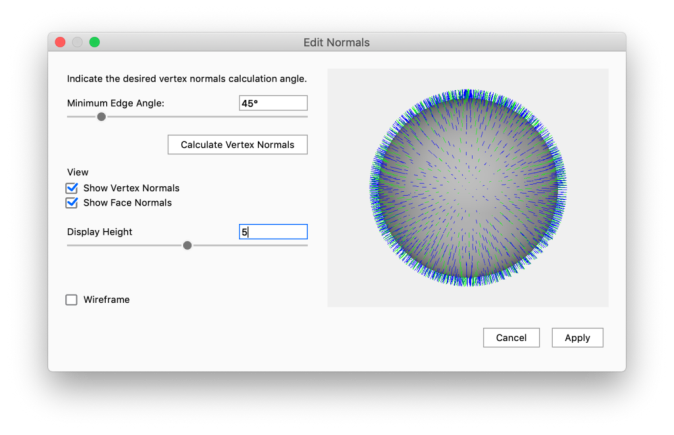
You can launch the  Edit Normals tool either via the Tools section in the Ribbon or via the context menu in the Real-time View or the Scene tree.
|
Minimum Edge Angle Adjust the Minimum Edge Angle to ensure that edges that do have a crease are not aligned as well. Calculate Vertex normals View
|