Environment Tab
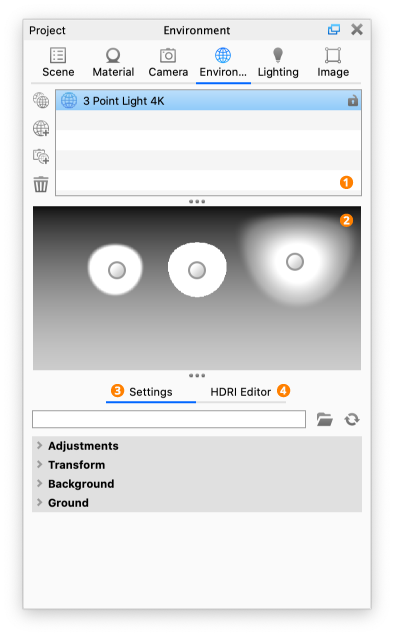
The Environment tab is located in the Project window and is where you can add and edit the HDR lighting of your scene as well as the background and ground properties.
|
|
1. Environment ListWith the Environment List you can set up and easily toggle between multiple environments in your project. 2. HDRI PreviewPreview of the HDRI. In the Pro version light pins can be adjusted here as well as in the HDRI Editor Canvas. 3. SettingsThe Settings tab located below the Environment List and HDRI preview allows you to control the properties of the selected Environment. 4. HDRI Editor (Pro)The HDRI Editor tab located below the Environment List and HDRI preview allows you to edit the selected HDRI, add light pins and change background options. See HDRI Editor for more details about the individual properties in the settings tab. |