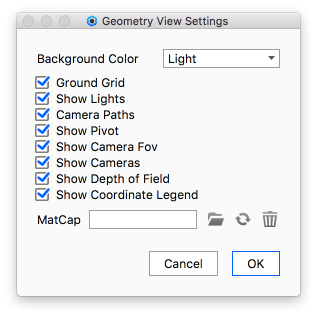
Geometry View Settings
On the Geometry View Ribbon, click the gear icon  to access the Geometry View Settings panel.
Background Color
Select the background color of the Geometry View.
Checkboxes
Click each checkbox to toggle the display of the different elements in the Geometry View.
MatCap
Add/Refresh/Delete image file to use for MatCap shading of the Geometry View.
To acitvate the MatCap shading see Display Style.