Ground

|
The Ground material type is a specialised material type for creating a ground for rendered objects. It is a shadow and reflection catching material that blends with the Environment Background. The shadows and reflections will also have transparency when rendering to an image format that supports it. Simply click Edit and select Add Ground Plane. This will add a ground plane into your KeyShot Studio scene. The ground material can also be applied to imported geometry. |
|
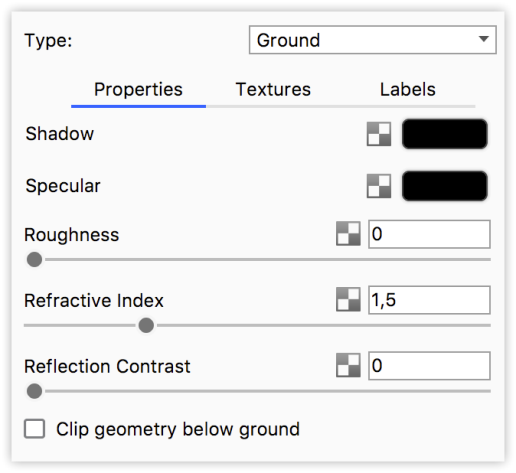
Shadow Color The shadow that is being cast from the object will be displayed in this color. Clicking the color block will allow you to edit the color. Specular ColorControls the color of the specular light reflections on a material. When the specular color is set to black, a material will have no specular reflections and will not appear reflective or shiny. Specular color set to white will give 100% reflectivity for that material. Refraction IndexThis controls the shape of reflected objects on the surface. |
Controls the contrast for specular reflections. Can be used to enhance reflections on light backgrounds.
Clip Geometry Below GroundIf any geometry is being displayed below the ground plane material, this option will clip the geometry below the ground plane, hiding it from the camera.
Ground IlluminationWhen Ground Illumination are on, the rays bounced off the ground will produce indirect lighting.