Plastic (Transparent)
The Plastic (Transparent) material provides the basic settings needed to create simple plastic materials. Set the diffuse (overall color) and add some specular (reflections), then adjust the roughness. This is a very versatile material type that is used for anything from concrete to woods.
|
|
DiffuseThis can be thought of as the overall color of the material. Transparent materials will have little or no diffuse color applied. SpecularThis is the color and intensity of the reflection of light sources within the scene. Black will completely turn off reflections, while white will provide a very shiny plastic look. Realistic plastic does not have color in the specular value, so generally you should use some level of gray or white. However, adding color can give the plastic material a metallic effect. |
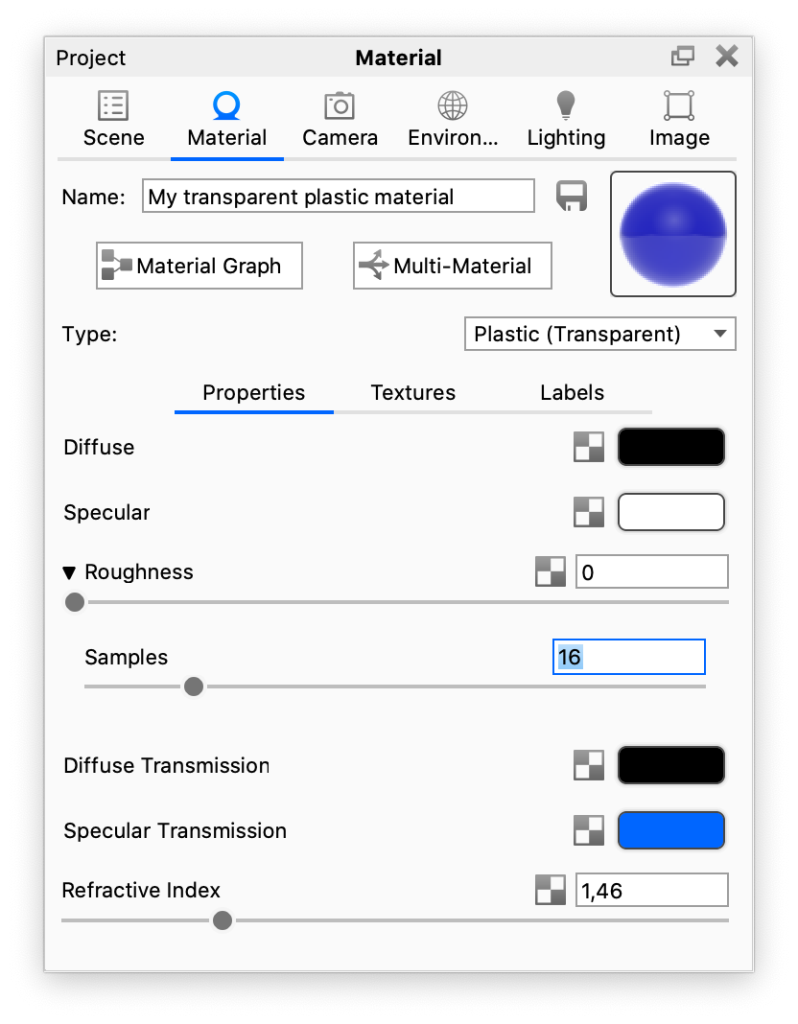
RoughnessThis will add microscopic levels of imperfections to the surface of the material when the values are increased. When set to 0, a material will appear perfectly smooth and polished. When the value is increased, the material will appear more rough as light is diffused across the surface. SamplesWithin the roughness parameter, you will find a samples setting. A low samples setting (8 or lower) will tend to make the surface look more noisy, which will give a more imperfect and rough look. As you increase the value, the noise will smooth out and provide a more evenly distributed roughness. |
Base material: Clear Shiny Plastic Blue from the Material Library |
Diffuse TransmissionThis will cause additional light to be scattered across the surface of the material which can simulate a translucent effect. It will increase render time, so if it is not needed, the recommendation is to leave it at black. |
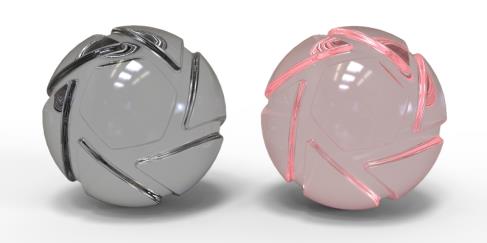
Base material: Clear Shiny Plastic Grey from the Material Library |
Specular TransmissionThis can be thought of as the transparency of the material. Black will be 100% opaque and white will be 100% transparent. |
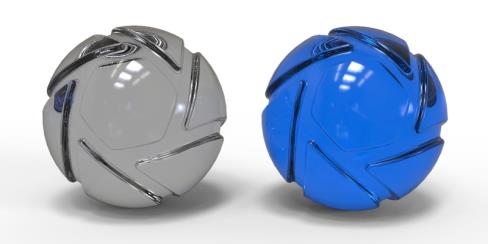
Materials: Clear Shiny Plastic Grey and Clear Shiny Plastic Blue from the Material Library |
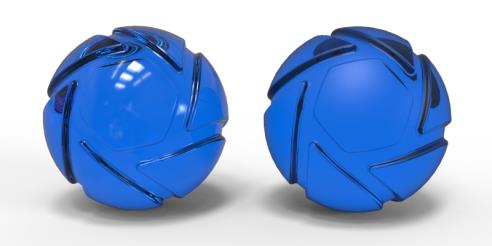
Refractive Index
This controls how much light will bend or “refract” as it passes through parts on your model that have this type of material. Increase the value to create a more dramatic refraction within the surface.