Color Fade
The Color Fade animation node  allows
you to create changing parameters of any of your custom material color swatches.
allows
you to create changing parameters of any of your custom material color swatches.
|
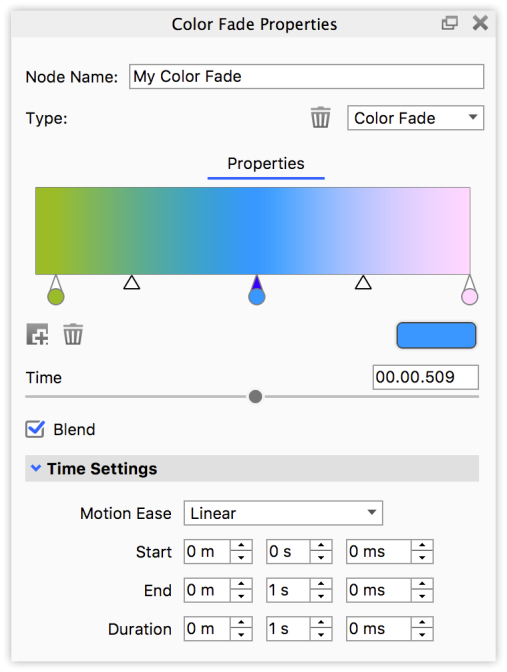
Color BarHere you can set when and what colors will fade from one to the the next. Click on the dropper circle to select it, then use the color swatch to choose a color. The little triangles shows where the 2 colors are mixed 50-50 and they can be dragged to control the course of the blend.
Time Blend Time SettingsUse these settings to control the timing and duration of the animation – see the Motion Ease types here. |
 Add Color
Stop
Add Color
Stop Delete Stop
Co-planar Surfaces
If you have parts with co-planar surfaces and transparent materials, Opacity maps or use
Part Fade animations or Curve/Color Fade animations to manipulate the opacity,
this may result in surface areas that are not rendered as expected where the two parts intersect. The
workaround is to make sure the parts are not positioned so the surfaces are co-planar, but in stead
have a very slight gap between them.