Scripting Console
Console
KeyShot Studio scripting uses Python 3.12.
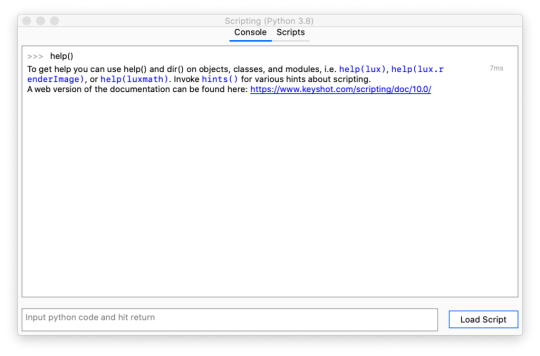
|
Scripting functionality includes:
|
Tip
Typing hints() in the scripting console will provide you with a list of tips about scripting and working with the console.
Scripts
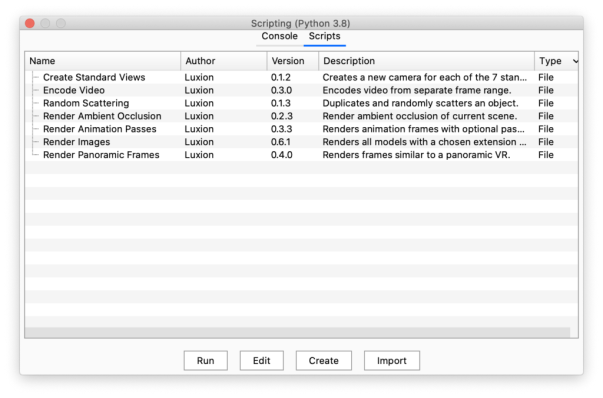
The Scripts tab offers a number of scripting examples that you can run on your scene.
|
Script LocationScripts are located in the KeyShot Studio Resource folder, e.g. \KeyShot Studio 2025\Scripts. To change this location or add another location, select Edit > Preferences > Folders and change the path for the Scripts folder. Scripts in the folder will be visible in the Scripts tab of the Scripting window. |
Creating a Script
To create a script, select Create from the Scripts tab. Provide a name for the script and the author.
If Python 3.12 (64 bit) is installed locally on the machine, KeyShot Studio will detect Python and all installed modules which then can be freely used for scripting in KeyShot Studio(this can be disabled in the General Preferences).
Vector and matrix classes are made available in the luxmath module to help with doing calculations. They are named luxmath.Vector and luxmath.Matrix respectively.
Import/Edit a Script
You may also import a script or edit an existing script using the corresponding buttons on the Scripts tab.