Client Setup
Anyone on the network with KeyShot Network Rendering installed can connect to the Manager and view the queue via the Render Queue. If you have the right user privileges, you can administer users, reorder the jobs of the queue, and download and delete Jobs.
In order to submit jobs to Network Rendering you need to have KeyShot Studio installed.
Installation
The Render Queue is automatically installed with KeyShot Studio.
Establish Connection
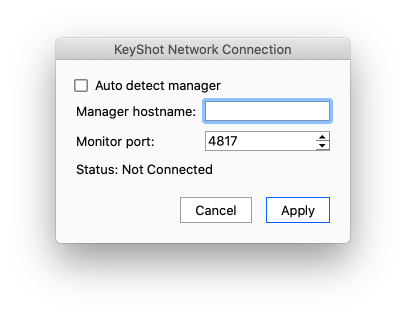
In the Render Queue under File > Connection Settings you can specify the connection method.
Auto detect
By default, the connection is set to Auto-Detect and connect to the Manager. When this is enabled, the Render Queue will scan the network to find a manager and connect to it.
Custom connection
if you need to connect to a specific manager, eg. because you have Multiple Managers on the same network. You simply disable auto-detecting of the Manager and enter a Manager hostname and the correct Render Queue port number.