Configurator Wizard
The Configurator Wizard enables you to set up a string of model and material choices for your product. Furthermore you can select a number of studios on which your model can be viewed.
The building blocks for the configuration is Model Sets and Multi-Materials. The Model Sets will constitute base model (Parent models) and possible product variations (Components) and the Multi-Materials will make up the Material Variations – these can be grouped in Material Sets/Material Ways which facilitates switching multiple materials in one click.
When you have finished the Configuration wizard, the configuration can be shared for KeyShot Viewer, rendered as a series of still images or set up as a web configuration.
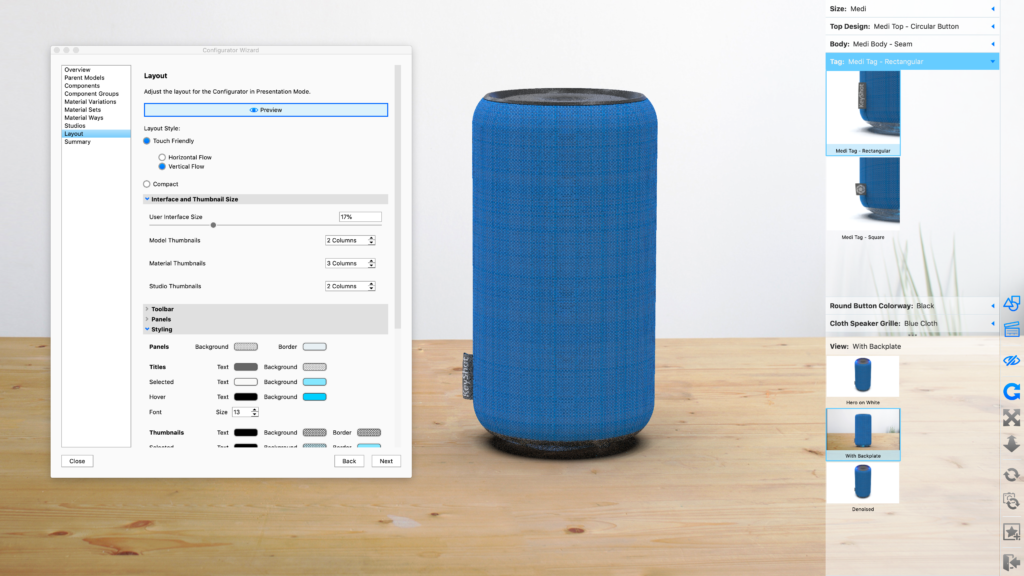
Using the KeyShot Studio Configurator – Webinar
This video shows how to use the KeyShot Studio Configurator to present model and material variations in real-time for design reviews or touch-enabled customer experiences.
but the video gives a good overall idea about the Configurator and how to use it.